The EU legal guarantee notice on Wix
What it is
A trader selling goods to consumers has to remind them of the legal guarantee of conformity before they are bound by a contract: at least two years, and possibly longer under national law. Recital 3 of the regulation states how Art. 5(1)(e) and Art. 6(1)(l) of Directive 2011/83/EU, as amended by Directive (EU) 2024/825, must be met:
“That information must be made available to the consumer in a prominent manner, using the harmonised notice referred to in Article 22a(1) and (3) of Directive 2011/83/EU.”
The regulation fixes what that notice looks like. Article 3: “It shall apply from 27 September 2026.”
What the notice looks like
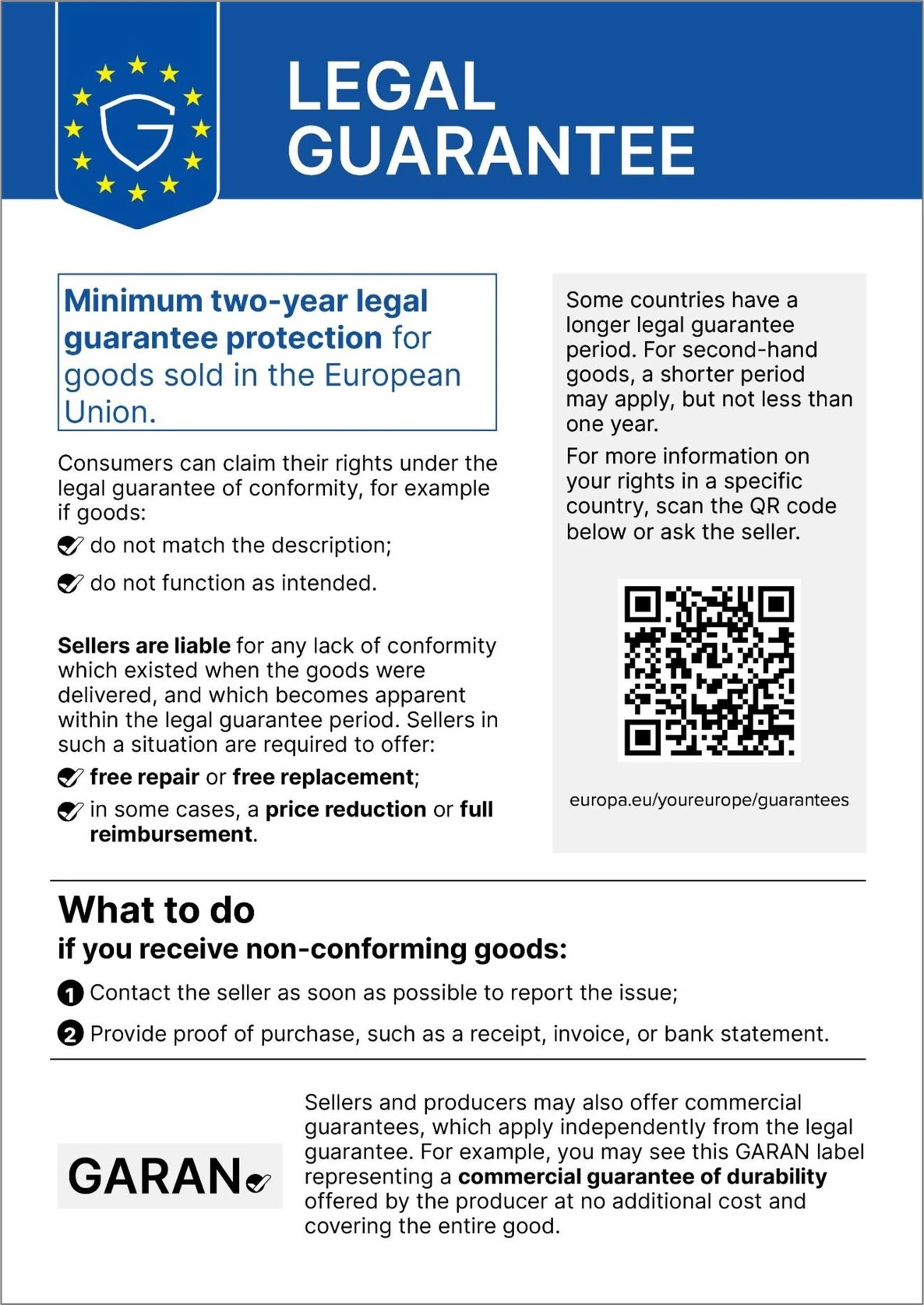
| Requirement | What Annex I says |
|---|---|
| Content | Note 1: “None of the elements of the harmonised notice can be edited.” |
| Colour online | Note 5: “For distance contracts concluded through an online interface, the harmonised notice on the legal guarantee of conformity shall be in colour (RGB).” |
| QR code | Note 3: leads to the language section on the legal guarantee of conformity on the Your Europe portal, and must be scannable with a standard mobile device. |
What the regulation leaves open
For an online shop, Annex I gives neither a minimum size nor a position: the A4 minimum in note 4 applies to contracts that are not concluded through an online interface. A nested display is allowed expressly only for the durability label (recital 14), not for the notice. This page therefore shows the whole notice rather than a preview.
The “GARAN” label is a different thing: it covers only goods for which the producer offers a commercial guarantee of durability of more than two years at no extra cost, and passes that information to the trader (recital 8).
Option 1 — by hand
- Download the notice in your language from Annex I, on EUR-Lex or here in English. Switch the language version on EUR-Lex for the other 23.
- Place the image on your Wix product pages so that it is visible before the purchase.
- Change nothing, crop nothing, and use the colour version online.
Option 2 — the app
Cooloff places the notice on your Wix Stores product page, under the purchase buttons, in the language of the page: the Annex I image, unedited and in colour, in all 24 official languages. You add it from the Cooloff settings. Nothing switches itself on, because a shop that sells only services or digital content must not show a notice about goods.
Free, within your Wix Premium plan. See it on the Wix App Market.
What the app does not do. It does not decide whether the rule applies to your shop, and it is not legal advice.
Cooloff Pro (copies to your team, replies in your customer's language) is coming as an option: every shop that installs Cooloff before 1 November 2026 gets Pro free, for good.